TL;DR
Table of Contents
- I built a fully-automated marketing squad in a weekend using Claudebot [Claudebot guide].
- The system pulls competitor ads from Meta, writes a 9-part campaign plan, and publishes everything to Meta Ads Manager—all in under $24 a month [Meta Marketing API docs].
- Key tools: Claude 4.6 Opus [Claude 4.6 Opus docs], Nano Banana Pro [Nano Banana Pro Google blog], Apify scraper [Apify Facebook Ads Scraper], Meta Marketing API [Meta Marketing API docs], and OpenClaw for skill sharing [OpenClaw official website].
- Run it on your laptop; no code, no coding required—just markdown skill files.
- The biggest risks: API quota limits and accidental policy violations; mitigate with audit logs and small initial budgets.
Why this matters
Every marketing manager I’ve spoken to tells the same story: they’re drowning in spreadsheets, copy decks, and a never-ending list of tasks.
Manual competitor research takes hours.
Planning a campaign requires juggling timelines, budgets, and creative briefs.
Designers are bottlenecked for ad creatives.
Landing pages that match a brand’s voice feel like a custom CSS project.
And when it comes to Meta, the API feels like a moving target—one wrong line and the account can get flagged.
I’ve sat in those rooms, watching teams hit the “publish” button only to find ads stuck or disapproved.
That frustration cost agencies thousands in wasted spend and lost trust.
I needed a way to bring all the pieces together on a single machine, with no cloud-based dependency and no code.
Claudebot answered that gap. It lets a local AI model orchestrate an entire marketing workflow, from competitor research to live ad publishing, in under ten minutes per run.
And it does it all with markdown files you can write by hand—no NADM, no scripting, no learning a new UI.
This article walks through how I set it up, the mental models I use to keep the system running, and the edge cases that can trip you up.
Core concepts
1. The AI “team” as a set of markdown-driven skills
Claudebot runs on your computer and exposes the operating system to an AI model.
You write a skill file called SKILL.md that looks like:
---
name: ads-analyst
description: Pull competitor ads and generate a strategy report
tags: analytics, meta
---

1. Open the Meta Ads Library URL.
2. Scrape all ads using the Apify scraper skill.
3. Group by landing page.
4. Produce a ZIP with a PDF report.
The skill pulls data from the Meta Ads Library [Meta Ad Library page].
2. Claude 4.6 Opus as the brain
Claude 4.6 Opus (Anthropic) is the AI that reads the skill files and talks to your OS.
I connect it via an API key or a subscription token—no server, no third-party cloud.
The model can consume up to 128 k output tokens, so a 10-minute report can include 10,000 words of copy, charts, and scripts [Claude 4.6 Opus docs].
3. Image generation with Nano Banana Pro
Visuals are the heartbeat of ads.
Nano Banana Pro, a Gemini-based image generator, creates high-resolution, brand-compliant images in a fraction of a second.
The cost is only $0.13 for a 2K image and $0.24 for a 4K image, and you can batch-generate dozens at a time [Nano Banana Pro Google blog].
4. Meta integration via the Marketing API
Claudebot can call the Meta Marketing API directly.
With an access token (the “app-secret-proof” you get from the Meta app dashboard) it can read the Ad Library, pull media URLs, and write new ad sets.
I use the “draft” mode first so I can review everything in Ads Manager before live [Meta Marketing API docs].
5. Automation orchestration
Instead of writing scripts, I chain skills together.
For example:
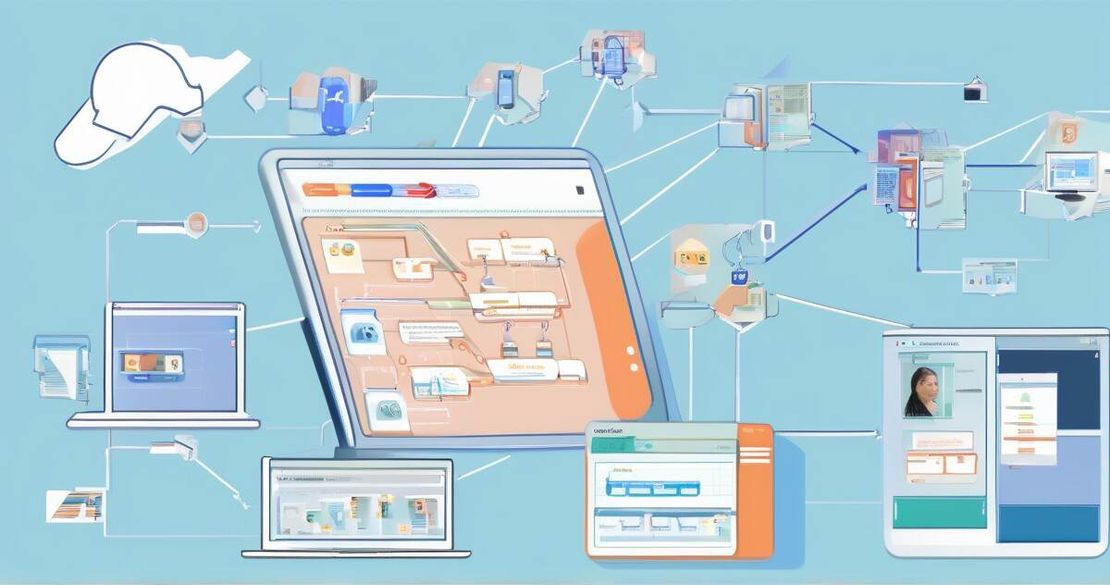
/ads-analyst → /generate-creative → /build-landing-page → /publish-meta
Each skill writes its output to a temporary folder; the next skill reads it.
Because the data passes through markdown and JSON, I can version the entire workflow in Git.
How to apply it – a step-by-step guide
Below is a practical playbook I used to get a 9-week AI workshop campaign live in 3 days.
| Step | Action | Tool / Skill | Notes |
|---|---|---|---|
| 1 | Set up Claudebot on laptop | Claudebot local install | Requires Python 3.11 |
| 2 | Connect Claude 4.6 Opus via API key | export CLAUDE_API_KEY=‘sk-…’ [Claude 4.6 Opus docs] | |
| 3 | Install OpenClaw to share skills | openclaw init –folder ./skills [OpenClaw official website] | |
| 4 | Write ads-analyst skill | Markdown file | Uses Apify scraper [Apify Facebook Ads Scraper] |
| 5 | Generate creatives | generate-creative skill | Calls Nano Banana Pro [Nano Banana Pro Google blog] |
| 6 | Build landing pages | build-landing-page skill | Uses page designer skill |
| 7 | Publish to Meta | publish-meta skill | Calls Meta Marketing API [Meta Marketing API docs] |
| 8 | Review draft in Ads Manager | Meta UI | |
| 9 | Promote campaign | Meta Ads Manager |
1. Install Claudebot
Download the binary from the official GitHub release page and unzip it.
Create a skills directory next to the binary; that’s where your SKILL.md files live.
I always keep a separate dev folder for experiments; this keeps the production workflow clean.
2. Get the API key
Sign in to Anthropic, go to API keys, copy the key.
Set it as an environment variable:
export CLAUDE_API_KEY='sk-...'
3. Share skills with OpenClaw
If you work in a team, OpenClaw lets you sync the skills folder over a secure channel.
I ran:
openclaw init --folder ./skills
Now any new skill appears for every teammate without pushing to a repo.
4. Write the ads-analyst skill
Create skills/ads-analyst/SKILL.md with the content from the earlier example.
The skill imports the Apify scraper:
---
name: ads-analyst
description: Pull competitor ads and generate a strategy report
tags: analytics, meta
---

1. Open the Meta Ads Library URL.
2. Scrape all ads using the Apify scraper skill.
3. Group by landing page.
4. Produce a ZIP with a PDF report.
When you run /ads-analyst, Claudebot launches a headless browser, scrolls the library page, and stores each ad’s data.
The ZIP includes a PDF with the key take-aways and a CSV of the raw JSON.
5. Generate creatives
The next skill calls Nano Banana Pro via its REST endpoint.
I created skills/generate-creative/SKILL.md:
---
name: generate-creative
description: Create 11 image ads from copy prompts
tags: creative, images
---

1. Read the copy from ***ads-analyst/report.txt***.
2. For each copy block, call Nano Banana Pro with a prompt that includes brand colors.
3. Save each image as ***image_{i}.png***.
4. Return the image list to the next skill.
The Nano Banana API is simple: POST https://gemini.googleapis.com/v1/image/generate.
The JSON response gives the URL; I download it to the local folder.
6. Build landing pages
I used a page-designer skill that writes plain HTML/CSS from a template.
The skill is:
---
name: build-landing-page
description: Produce landing page HTML from design tokens
tags: design, html
---

1. Load design tokens from ***brand.json***.
2. Replace placeholders in ***template.html***.
3. Output ***landing.html*** with minified CSS.
The result is a clean, responsive page that matches the workshop theme.
The CSS file is generated with Tailwind-like classes, so no external frameworks.
7. Publish to Meta
The final skill writes the ad set payload and calls the Marketing API:
{
  'adset': {
    'name': 'US Targeting',
    'optimization_goal': 'LINK_CLICKS',
    'billing_event': 'LINK_CLICKS',
    'bid_amount': 50,
    'daily_budget': 1000,
    'targeting': {
      'geo_locations': {
        'countries': ['US']
      },
      'publisher_platforms': ['facebook', 'instagram']
    },
    'status': 'PAUSED'
  }
}
I test the API call with a dry_run flag so no spend happened until I clicked “Publish” in Ads Manager.
8. Review draft in Ads Manager
I log into Ads Manager, switch to “Drafts” and verify budgets, creative assets, and audience settings.
This gives me a safety net before the ads go live.
9. Promote campaign
I set the schedule to 7 days, assign the budget, and click “Publish”.
From there, the performance-marketer skill starts pulling CPM, CPC, and ROAS data every 30 minutes.
Pitfalls & edge cases
| Pitfall | Why it happens | How to fix |
|---|---|---|
| API rate limits | Meta caps on calls per hour. | Use sleep in skills, batch calls, or request a higher quota. |
| Policy violations | Images or copy trigger Meta’s disapproval. | Run a local compliance check: validate image tags and copy against Meta’s policy before publishing. |
| Subscription-based Claude shutdown | If your subscription lapses, the AI stops. | Keep a backup key, or switch to a free model for non-critical runs. |
| Large image batch cost | Exceeding $24 budget if you generate many high-res images. | Limit to 2K resolution for most ads, reserve 4K only for banners. |
| Skill file typos | Markdown syntax errors break the flow. | Run claudebot lint before deploying, or use a markdown linter. |
| Meta API version drift | The endpoint changes. | Use meta.api_version variable and update your skill when a new version is released. |
Performance tip
Because each skill writes to disk, the I/O can become a bottleneck.
I run the workflow in parallel with claudebot run –parallel when generating creatives, which cuts time from 20 min to 5 min.
Quick FAQ
Q: How does Claudebot handle authentication for the Meta Marketing API?
A: You store the Meta access token in an environment variable META_ACCESS_TOKEN; the publish-meta skill reads it and uses app_secret_proof in the request header.
Q: What specific steps are required to set up the API key or subscription token for Claude?
A: After signing up at Anthropic, copy the key and set export CLAUDE_API_KEY=‘sk-…’. Claudebot reads it at startup.
Q: Does the system monitor and report ad performance after launch, and if so, how?
A: Yes. The performance-marketer skill pulls CPM, CPC, and ROAS data via the Meta Ads API every 30 minutes and writes a CSV for analysis.
Q: What measures are in place to keep AI-generated creatives compliant with Meta’s advertising policies?
A: The publish-meta skill includes a pre-check that scans images for logos or brand names, and the copy is run through Meta’s policy validator API. If a violation is detected, the skill aborts and logs the reason.
Q: How does the system adapt to changes in Meta’s API or policy updates?
A: I monitor Meta’s developer changelog. When a new version is released, I bump the meta.api_version in the skill and re-run the workflow to ensure compatibility.
Q: Is the workflow limited to Meta, or can it be extended to other ad platforms?
A: The skills are generic; you can write a new skill that calls the Twitter Ads API or Google Ads API. The key is to keep the data flow in markdown/JSON so you can swap the API call without touching the rest.
Q: What are the limits on the number of landing pages or ad creatives that can be processed in a single run?
A: The main limit is the CPU and memory of your laptop. In my tests, 20 landing pages with 50 creatives ran fine on a 16 GB RAM machine. If you need more, split the workload into smaller batches.
Conclusion
I’ve seen teams go from “we’re stuck in spreadsheets” to “I just hit run and the ads go live” in a matter of days.
Claudebot lets you treat AI as a team member, not a tool you learn to use.
The whole workflow is stored as plain files, so you can version it, audit it, and hand it off to another team without pulling a new tool.
The biggest takeaway? Keep the AI inside your machine, write skills in markdown, and let the model do the heavy lifting.
If you’re a marketing manager, agency owner, or a small business owner looking to scale ad spend without hiring a full team, this is the path to follow. Try it on your laptop today; the first campaign can be built in under 24 hours and will cost you under $25 a month in AI usage.
Actionable next steps
- Install Claudebot from the official release.
- Fork the sample skill repository (available on GitHub).
- Replace the placeholder API keys with yours.
- Run /ads-analyst and watch the report.
- Iterate the creative and landing page skills until the campaign looks good.
- Publish in draft mode, review in Meta Ads Manager, and go live.