Apple scam that uses a real support ticket to bypass 2FA and steal iCloud accounts. Learn how to spot the phishing, verify tickets, and protect your data.
Apple Scam: How a Real Support Ticket Became a 2FA Breach
Published by Brav
Table of Contents
TL;DR
- I discovered a new phishing scheme that uses authentic Apple support tickets to steal 2FA codes and gain iCloud access.
- The attack happens in minutes, using a fake Apple website (appeal-apple.com) and a phone call from a toll-free number.
- Legitimate Apple communications are short, always sent from @apple.com, and never ask you to click links during a call.
- The only way to protect yourself is to verify every support ticket through the Apple ID website, never share 2FA codes, and contact Apple through official channels.
Why This Matters
When Apple sends you a text that says ‘Someone is trying to sign in to your Apple ID,’ you instinctively trust it. But scammers now mix legitimate Apple emails with social engineering to create the illusion of a real support case. This confusion leaves tech-savvy users, IT managers, and everyday end-users exposed to the risk of losing photos, contacts, and even my Mac Mini.
Core Concepts
Apple’s support system is a powerful tool: it lets you reset passwords and recover accounts. Scammers hijack this by:
- Creating a real support ticket using an Apple email address (the ‘Apple Support’ header is the same as Apple’s own).
- Using a toll-free call to provide a fresh 2FA code.
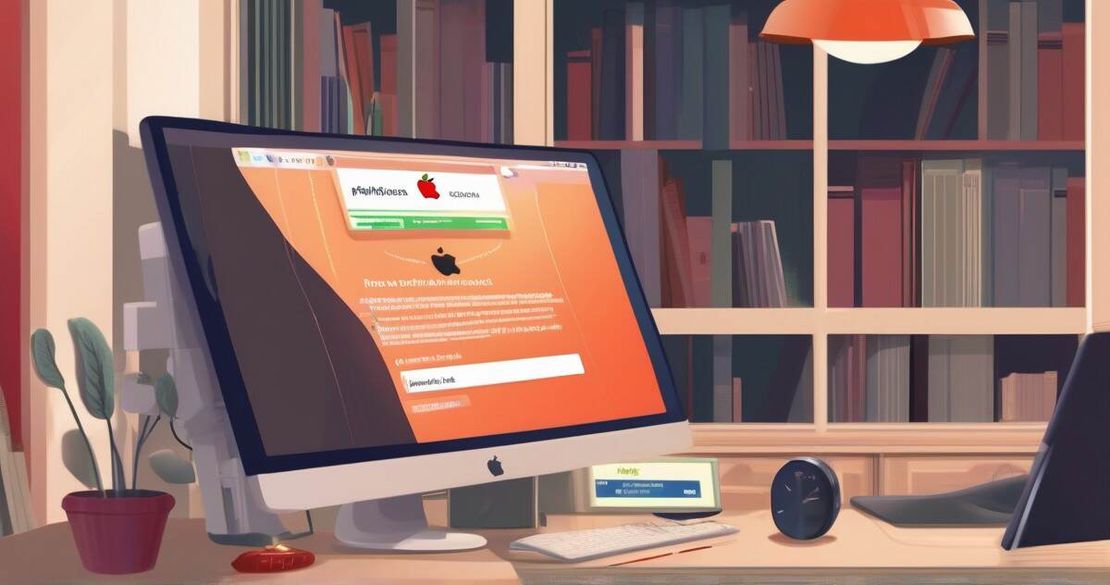
- Sending a link to a spoofed site that looks almost identical to Apple’s authentication page (appeal-apple.com).
- Timing the call, email, and link so you’re under pressure when you’re asked for a code.
Think of it like a burglar who brings a key that looks like a master key and asks you to hand over the lock.
How to Apply It
Verify the ticket
Log in to https://appleid.apple.com and check the Support tickets section. If you didn’t open a ticket, the one that shows up is fake.
Apple Support – Contact Apple SupportCheck the email domain
Apple’s official emails come from @apple.com or @support.apple.com. The scam email uses a real Apple address but the subject line is generic and the body contains a link to a non-Apple domain.
Lifehacker – Apple Support Ticket Scam (2025)Never click a link during a phone call
If a caller says, ‘Click this link to close the case,’ hang up. A legitimate Apple employee would direct you to the Apple website.Reset your password on Apple’s site
Use the official Apple ID password reset flow, not the link in the email.
Apple Support – Two-Factor AuthenticationRemove unknown devices
Go to Settings > Apple ID > Devices and delete any unfamiliar entry, such as a Mac Mini that you didn’t add.
This step stops the attacker from continuing to use the account.Report the phishing email
Forward it to Apple at [email protected] and to the U.S. FTC at reportfraud.ftc.gov.
| Feature | What It Does | Limitation |
|---|---|---|
| Apple support ticket | Lets you reset passwords | Anyone can create a ticket if they have an Apple email address |
| Two-factor authentication | Adds a second layer of security | Can be phished if the attacker controls the phone |
| Apple ID verification emails | Confirms real Apple activity | Can be spoofed with a legitimate Apple header |
Pitfalls & Edge Cases
- Timing: Scammers can act within minutes after a 2FA code is sent, giving me little time to react.
- False positives: Legitimate Apple support calls might have a similar tone, but they will never ask me to click a link while on the call.
- IT managers: If your organization uses single sign-on, ensure that support tickets are only opened by designated staff and that MFA is enforced across all accounts.
Quick FAQ
Q: How can I verify that an Apple support case is real?
A: Log into appleid.apple.com and view the ticket’s details; if it was not opened by me, it’s fake.
Q: What should I do if I’ve already shared my 2FA code?
A: Immediately reset my password, remove unknown devices, and contact Apple for further assistance.
Q: Why was Eric Moret targeted?
A: He was a public figure in the tech industry, making him a high-value target for phishing. This is not a guarantee that only tech executives are targeted.
Q: Are there other vulnerabilities in Apple’s support system?
A: Yes – any system that allows open ticket creation without strong verification can be abused. Apple is working on tightening this.
Q: How widespread is this scam?
A: Security reports show dozens of incidents across the U.S. and Europe in the past month.
Q: What can Apple do to prevent this?
A: Apple can add a secondary verification step before creating tickets and flag suspicious accounts.
Q: How can IT managers protect their teams?
A: Enforce MFA, monitor support tickets, and educate staff on the phone-call red-flags.
Conclusion
Don’t let the illusion of an “Apple” email fool me. I verify every ticket, keep my 2FA codes private, and use Apple’s official channels. If I ever doubt a support request, I hang up, log in myself, and report the incident. Sharing this knowledge with my network can stop the spread of this sophisticated scam.