Learn how to build a RAG agent with source validation using CopilotKit and Pydantic AI. Stop hallucinations, add human approval, and sync in real time.
How I Built a RAG Agent That Stops Hallucinations With Source Validation
Published by Brav
Table of Contents
TL;DR
- Source validation cuts hallucinations by giving the agent a human in the loop.
- The front-end shows each chunk, letting users approve before the agent writes.
- Real-time sync between React and the backend uses AGUI, so no custom adapters.
- CopilotKit + Pydantic AI give type safety and tool calls.
- The resulting agent can be turned into a debugging harness or API endpoint.
Why this matters
I once built a chatbot for a healthcare startup that answered medication questions. One night, it cited a study that had been retracted 10 years ago. The lead engineer was shaking. The problem? RAG systems often lack source transparency, and agents can hallucinate or fabricate citations when the source isn’t verified Dev.to — How to Validate RAG-based Chatbot Outputs (2025). This was a classic case of the “garbage-in, garbage-out” problem that ruins user trust.
The solution is to give the agent a human-in-the-loop for source validation CopilotKit — Release Announcement (2025). Only approved chunks are used to synthesize the answer, so the user gets a transparent, traceable answer and the developer gets an audit trail.
Core concepts
- RAG (Retrieval-Augmented Generation): A two-step process that first pulls documents from a knowledge base, then feeds them to an LLM for generation. Think of it as a librarian (retrieval) plus a writer (generation).
- Source visibility: If you can’t see which books the librarian fetched, you can’t trust the writer.
- Human-in-the-loop source validation: The UI shows each chunk on the left. The engineer toggles a checkbox to approve or reject.
- Real-time sync via AGUI: AGUI is a protocol that keeps the UI and backend in lockstep CopilotKit — Introducing the AG-UI Dojo (2025).
- CopilotKit: A lightweight wrapper that stitches the agent, AGUI, and React together CopilotKit — Release Announcement (2025).
- Pydantic AI: A typed framework that lets you define request/response models in Python Pydantic AI — PyPI Project (2025).
All of these pieces fit together like a well-orchestrated jazz band: the backend plays the notes, the UI displays the sheet, and AGUI keeps the conductor in sync.
How to apply it
Set up your knowledge base • Store documents in a vector store (e.g., Pinecone, Qdrant). • Split each document into 200-token chunks and index them.
Build the agent
from copilotkit import Copilot
from pydantic_ai import Agent, Tool
from openai import OpenAI

copilot = Copilot()
llm = OpenAI()

class SearchTool(Tool):
    def run(self, query: str) -> List[str]:
        # query vector store, return chunk IDs
        return vector_store.search(query)

agent = Agent(
    llm=llm,
    tools=[SearchTool()],
)
copilot.add_agent(agent)
This defines a tool that searches the KB and a main agent that calls it OpenAI Platform — API Docs (2023).
Expose the agent via AGUI CopilotKit’s runtime gives you an endpoint out of the box:
copilotkit run --host 0.0.0.0 --port 3000This endpoint speaks AGUI, so any React client can talk to it with no custom adapters.
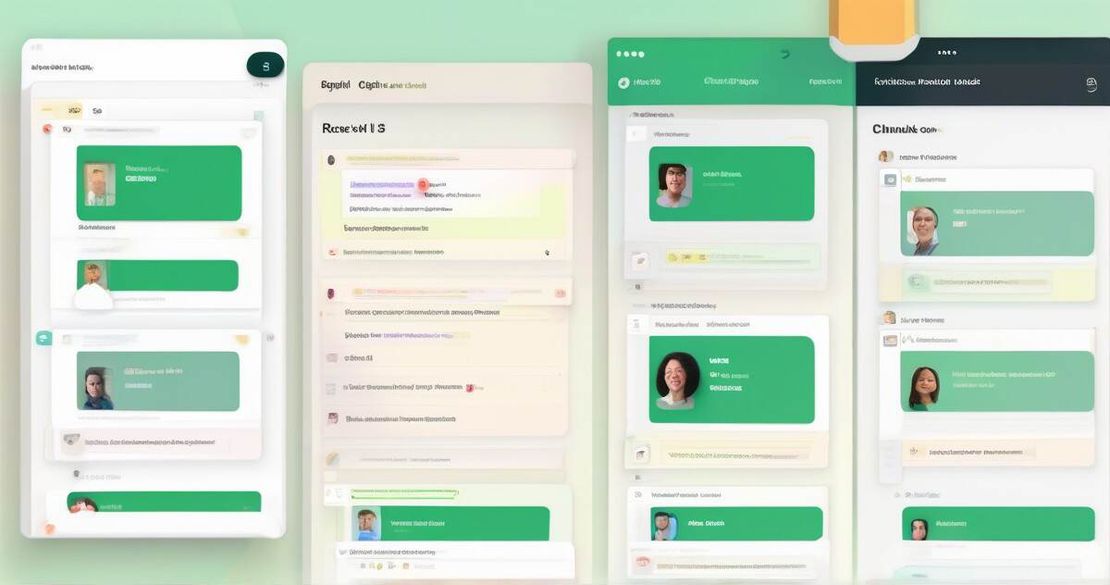
Create the front-end Left panel – list of chunks with a checkbox. Right panel – chat window. When the user types a question, the React component calls the AGUI endpoint, receives a state_snapshot event, and renders the chunk list. The user toggles approvals; the component then sends the approved chunk IDs back to the agent. The agent, upon receiving the approvals, runs the generator tool and returns the final answer CopilotKit — Release Announcement (2025).
Deploy Package the runtime into a Docker container and push it to AWS ECS or Azure App Service. Use a CDN for the static React bundle.
Turn it into a debugging harness Because every tool call and state snapshot is a plain JSON event, you can write scripts to replay a conversation or run unit tests against the agent logic CopilotKit — Release Announcement (2025).
Pitfalls & edge cases
- All chunks rejected – The agent falls back to “I don’t have enough data” instead of hallucinating.
- Large knowledge base – Real-time sync can choke if you push thousands of chunks at once. Chunk the UI view or lazy-load.
- Tool call explosion – Each search and synthesis call is a network hop. Batch calls when possible.
- Security – Exposing AGUI endpoints publicly opens a vector search API to the world. Protect with API keys or JWT.
- Over-engineering – For simple prototypes, a single-page app with no source approval might be enough. Use source validation only when compliance matters.
Quick FAQ
| Question | Answer |
|---|---|
| How does the system handle selection of multiple sources? | The UI lets you tick any number of chunks; the agent receives a list of approved IDs and uses only those for generation. |
| What happens if the user rejects all chunks? | The agent returns a short “I don’t have enough data” reply instead of fabricating an answer. |
| How is the state snapshot event structured? | It’s a JSON object with agent_id, conversation, tool_calls, and a chunks array, all typed by Pydantic AI. |
| How does the agent manage tool calls for search and synthesis? | Tool calls are expressed as JSON objects; CopilotKit streams them as AGUI events and the backend runs the corresponding Python function. |
| What is the scalability of real-time sync with many chunks? | AGUI uses websockets; keep the payload small by sending only chunk IDs and titles initially, then fetch details on demand. |
| How does AGUI protocol integrate with frameworks like LangGraph and CrewAI? | CopilotKit can wrap any Python agent, so you can plug a LangGraph or CrewAI agent into the same AGUI endpoint. |
| What are the security considerations when exposing AGUI endpoints? | Use HTTPS, API keys, and rate-limiting; never expose raw vector-search credentials. |
Conclusion
Source validation transforms a brittle RAG agent into a trustworthy assistant. By putting the human in the loop, using CopilotKit’s AGUI for real-time sync, and defining everything in Pydantic AI, I built an agent that stops hallucinations, exposes a clean API, and doubles as a debugging harness. If you’re a product manager who cares about user trust, a backend engineer who hates debugging flaky bots, or an AI developer ready to ship production-grade assistants, give this approach a try.
Happy building!