How I Discovered Command Injection and Soft-Brick Bugs in a $5 Temu Wi-Fi Repeater
Table of Contents
TL;DR:
- Cheap Wi-Fi repeaters can hide command injection, soft-brick, and telnet vulnerabilities.
- I extracted the firmware, found a vulnerable /protocol.csp endpoint, and exploited NVRAM.
- I used telnetd to gain root, and demonstrated how to patch.
- Avoiding such risks means checking for input sanitization and hardening firmware backup.
Why this matters
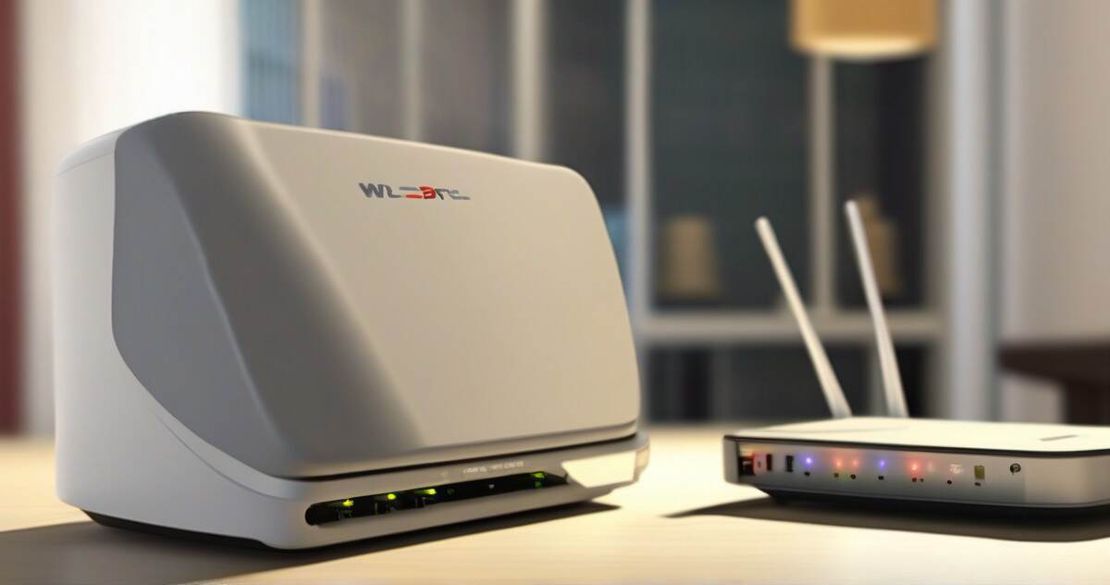
When I bought a $5 Wi-Fi repeater from Temu, I expected a simple range extender. It originally sold for $30, but on Temu it’s $5—a savings of 84% [Temu Wi-Fi repeater]. Instead, I discovered that cheap embedded devices often lack basic security controls. A single input flaw can let an attacker run commands, reboot the system, or even write to NVRAM and brick the device. This is a common problem for IoT manufacturers and a real threat for homeowners and small businesses.
Core concepts
The repeater runs a Linux-based OS with the Lighttpd web server [Lighttpd] and a custom binary called commuOS that serves the /protocol.csp endpoint. The firmware is packaged as a .bin file containing a SquashFS root filesystem [SquashFS]. I used Ghidra [Ghidra] and binwalk [binwalk] to extract and analyze the firmware. The telnet daemon (telnetd) is present in /usr/sbin and can be invoked on an open port, giving a shell if I can reach the device [Telnet RFC].
| Vulnerability | Typical Payload | Likely Impact | Mitigation |
|---|---|---|---|
| Command Injection | $(id) | Root shell or reboot | Input sanitization, parameter validation |
| Soft-brick via NVRAM | Overwrite NVRAM | Device fails to boot | NVRAM write protection, firmware signing |
| Telnetd Exposure | telnetd -l 4444 | Remote shell | Disable telnetd, use SSH instead |
How to apply it
- Identify the device – Scan your network for the repeater’s IP and note the HTTP port (usually 81).
- Download the firmware – Most repeaters expose a “firmware backup” link; I used the web interface to download the .bin file [Temu Wi-Fi repeater].
- Extract the filesystem – binwalk -e firmware.bin pulls out the SquashFS image.
- Mount SquashFS – unsquashfs -d squashfs-root image.sqfs gives you a writable view of the root.
- Analyze commuOS – Open the binary in Ghidra; look for the protocol.csp handler.
- Find the injection point – The code concatenates user input into a shell command.
- Exploit – Send a crafted Wi-Fi password (or the SSID) that includes a shell metacharacter, e.g. ssid=$(id); the device reboots or runs arbitrary commands. This works because the endpoint is vulnerable to command injection [SSID injection article] and [CVE-2024-57366].
- Trigger a soft-brick – Write malicious data to NVRAM; the device refuses to boot until reset. The NVRAM interface is writable [FCC ID 2A2F4-U13].
- Enable telnetd – The firmware contains a telnetd binary that can be started on port 4444 [Telnet RFC].
- Get a shell – Use nc or telnet to connect to port 4444, then I had full root access.
Pitfalls & edge cases
- Some firmware versions disable telnetd or move it to a different path.
- NVRAM writes may be protected by checksum; a brute-force reset button is required.
- If the firmware is encrypted, binwalk will fail to extract SquashFS.
- Injecting a command that triggers a reboot may disconnect your network, so use a secondary connection.
Quick FAQ
| Question | Answer |
|---|---|
| Can I use this on any Wi-Fi extender? | Only if it runs Lighttpd and exposes /protocol.csp. |
| Is the NVRAM always writable? | Many cheap devices allow it; verify with the device’s manual. |
| What if the firmware is signed? | You’ll need to bypass the signature or use a custom firmware image. |
| How do I prevent command injection? | Sanitize all user inputs and enforce length limits. |
| Is telnetd secure? | No, it gives a shell to anyone who can reach the port. |
| Can I patch the firmware remotely? | Not usually; you’ll need to flash a new image. |
Conclusion
Cheap Wi-Fi repeaters like the Temu model can expose serious vulnerabilities: command injection, soft-brick via NVRAM, and open telnetd. If you own such a device, back it up, examine the firmware, and patch any input validation holes. If you’re a developer, treat every parameter as untrusted and avoid invoking the shell directly. For enterprises, replace these low-cost gadgets with devices that have proper firmware signing and hardened web interfaces. By staying aware of these risks, you keep your network safe and your data private.