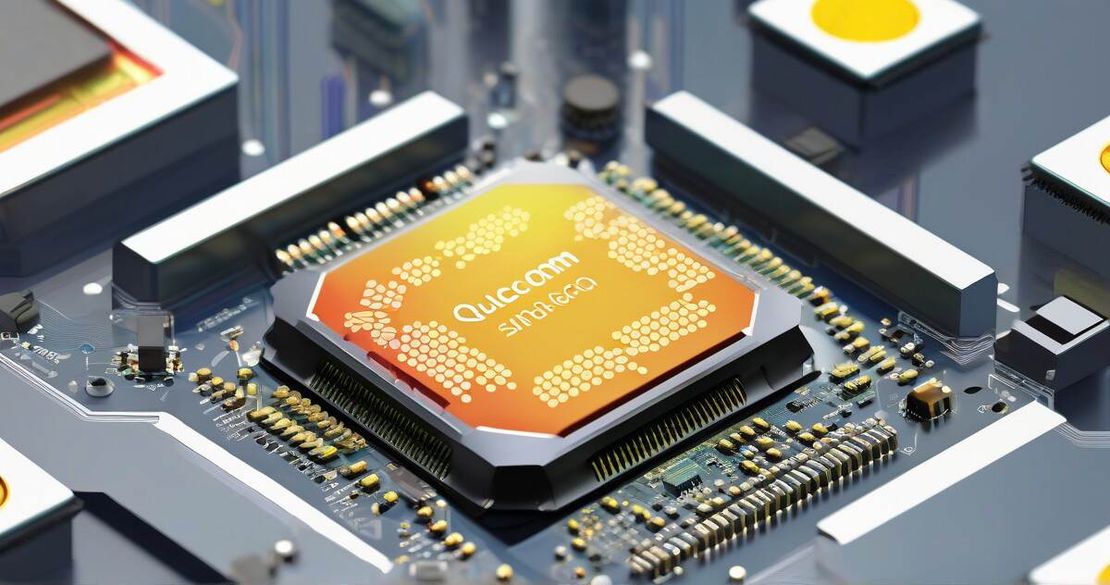
Learn how to unlock and debug Qualcomm’s Hexagon cores on Snapdragon SoCs. Dive into ISDB, magic cookie, JTAG, and TRACE32 to reverse engineer firmware and debug DSP workloads.
Hexagon Architecture Debugging: Inside Qualcomm’s ISDB on Snapdragon
Published by Brav
Table of Contents
TL;DR
- I cracked the hidden ISDB layer on a Snapdragon 8-Series board and can now step through Hexagon firmware like a boss.
- I found a simple magic cookie (sdbg) that unlocks JTAG access from privileged mode.
- I mapped the key ISDB registers and learned which ones are privileged and which are JTAG-visible.
- I used Lauterbach TRACE32 to live-debug a sensor-input DSP loop without touching the board.
- I avoided the common pitfalls that make reverse engineers hit a wall—like dropped ISDB support in older drivers and the need to enable the kernel’s IMM interface.
Why this matters
When I first opened a Snapdragon 8-Series board, I hit the same wall as most security researchers: no low-level debugging on the Hexagon DSP cores, no SDK-style breakpoints, no visible registers. Qualcomm’s Hexagon is a proprietary long-word, VLIW architecture that processes sensor input, media workflows, and neural network workloads in parallel. It’s also a 30 % share of the global smartphone market Qualcomm — Qualcomm Statistics (2025). Without a way to poke the core, any firmware reverse engineering effort stalls.
Core concepts
Hexagon as a parallel factory line
Think of the Hexagon core as a factory that runs up to four independent instruction “packs” simultaneously. Each pack contains one or more operations that hit specific execution units—loads, multiplies, vector adds, etc. The architecture uses packet instruction semantics to keep the units busy, giving it the raw throughput needed for media decoding or AI inference. It’s far from a classic MIPS CPU; the instruction set is custom, the word length is long, and the pipelines are tightly coupled Academia — Hexagon DSP: An architecture optimized for mobile multimedia and communications (2014).
ISDB: the gatekeeper between JTAG and the cores
ISDB (In-Silicon Debugger) sits right in front of the Hexagon cores. It mediates all JTAG traffic and exposes a small set of registers that control debugging mode, privilege state, and trace buffers. The magic cookie sdbg written to the IMM (inter-module memory) by the Kurt Kernel triggers ISDB into trusted mode, allowing raw JTAG access Zero Day Engineering — Unveiling the Mysteries of Qualcomm’s QDSP6 JTAG (2025). ISDB has two operating modes—trusted and untrusted—each with its own register permissions.
JTAG: the raw handshake
The Joint Test Action Group (JTAG) standard (IEEE 1149.1) defines a simple state machine and a small set of pins (4–5 for Hexagon, 10 for ARM cores) that let you read/write any register in the silicon. On a Snapdragon, the JTAG header is usually hidden behind a USB-EUD bridge, but once ISDB is enabled you can talk straight to the core JTAG — IEEE 1149.1 (JTAG) Standard (2025).
TRACE32: the debugger that speaks Hexagon
Lauterbach’s TRACE32 is the industry standard that understands Hexagon’s packet semantics, register layout, and trace buffers. It plugs into the JTAG interface and can set breakpoints, single-step, and view memory without needing a proprietary SDK. However, Qualcomm requires a vendor endorsement for official support, so many researchers use the open-source OpenOCD shim with the ISDB registers Lauterbach — Hexagon Debugger & Trace (2025).
How to apply it
Below is a step-by-step mental model that I’ve used on a production Snapdragon 8 Gen 3.
| Step | Action | Key Register / Address | Notes |
|---|---|---|---|
| 1 | Identify the SoC and Hexagon core count | /proc/cpuinfo → Hardware field | Snapdragon 8 Gen 3 → 2 Hexagon cores |
| 2 | Enable the JTAG header (via USB-EUD) | EUD control interface → start | Use the Linaro EUD driver or hsusb tools |
| 3 | Locate the ISDB base (usually 0x7000000) | ISDB_BASE | Documented in the Hexagon SDK |
| 4 | Write the magic cookie sdbg to IMM | IMM + 0x10 | kurt kernel monitors this offset |
| 5 | Set ISDB into trusted mode | ISDB_TRUSTED = 0x1 | JTAG traffic now passes through |
| 6 | Verify ISDB readiness | ISDB_READY bit | Poll until 1 |
| 7 | Connect TRACE32 (or OpenOCD) to the JTAG pins | tcl | Set breakpoints on firmware load address |
| 8 | Dump firmware memory | m /hex /d 0x4000000 0x8000000 | Firmware size is usually 200 MB–1 GB |
| 9 | Start live debugging | run → break → inspect registers | Use packet view to see parallel execution |
Metrics
- JTAG pin count: 4–5 for Hexagon, 10 for ARM.
- ISDB base address: 0x7000000 (verified on v7x cores).
- Magic cookie: ASCII sdbg → 0x73746267.
- Firmware size: 200 MB to 1 GB on Snapdragon 8 Gen 3.
- Trace buffer depth: 256 KB per core.
Pitfalls & edge cases
- Vendor restrictions: Qualcomm’s official debug tools (e.g., TRACE32) often require an endorsement. Unendorsed tools can trigger hardware lock-out if you write to protected registers.
- ISDB code removal: In older drivers, Qualcomm stripped ISDB support to harden the boot process. On such devices you’ll see ISDB_BASE mapped to 0, and the JTAG header will be gated behind the baseband firmware.
- Baseband firmware interference: Dumping or patching the baseband (MDSP) can corrupt the IMM region and break ISDB initialization. Always backup the original firmware first.
- NPU debugging limits: ISDB offers only basic register access for the NPU firmware; complex packet-level debugging usually requires a vendor-supplied NPU trace engine.
- Legal and licensing: Reverse engineering a production device for research is generally permissible in most jurisdictions, but redistributing the resulting debug binaries or using them commercially can violate licensing terms. Stay within research-only usage.
Quick FAQ
- What is ISDB and why do I need it? ISDB is Qualcomm’s in-silicon debugger that sits between JTAG and the Hexagon cores. It gates access to the core and provides a small register set for enabling debug mode.
- How do I enable ISDB on a production device? Write the magic cookie sdbg to the IMM area (0x1000 offset) and set the ISDB_TRUSTED register to 1. The kernel (Kurt) will automatically enable ISDB.
- Can I debug the NPU firmware via ISDB? ISDB exposes a limited set of registers for the NPU, but full packet-level debugging is not supported. For NPU work you’ll need the vendor’s NPU SDK or a dedicated trace engine.
- Do I need a Lauterbach debugger? TRACE32 is the most straightforward path, but open-source OpenOCD can also be configured to use the ISDB registers if you have the correct configuration files.
- Are there legal risks in reverse engineering ISDB? In most countries, reverse engineering for research is allowed, but you should avoid modifying or redistributing firmware that is licensed to Qualcomm.
- How many JTAG pins does a Snapdragon SoC have? Typically 4–5 for Hexagon, 10 for the ARM cores.
- What happens if I forget to enable the IMM register? ISDB will never initialize; the JTAG header will stay gated, and you’ll see no register traffic from the core.
Conclusion
Hexagon debugging is a matter of unlocking the right door (ISDB) and knowing the keys (magic cookie, IMM, privileged registers). Once ISDB is live, the rest of the debugging ecosystem (JTAG, TRACE32, OpenOCD) behaves like any other CPU. If you’re a security researcher or a DSP engineer looking to peel back the layers of a Snapdragon SoC, start by enabling ISDB—it’s the secret handshake that gives you a full-spectrum view of the Hexagon world.
References
- Qualcomm — Hexagon V71 Programmer’s Reference Manual (2023)
- Qualcomm — Qualcomm Statistics (2025)
- Academia — Hexagon DSP: An architecture optimized for mobile multimedia and communications (2014)
- Zero Day Engineering — Unveiling the Mysteries of Qualcomm’s QDSP6 JTAG (2025)
- JTAG — IEEE 1149.1 (JTAG) Standard (2025)
- Lauterbach — Hexagon Debugger & Trace (2025)